ChatGPT Plus Review (2026) & How to Secure Your Digital Accounts with Online 2FA (TOTP)
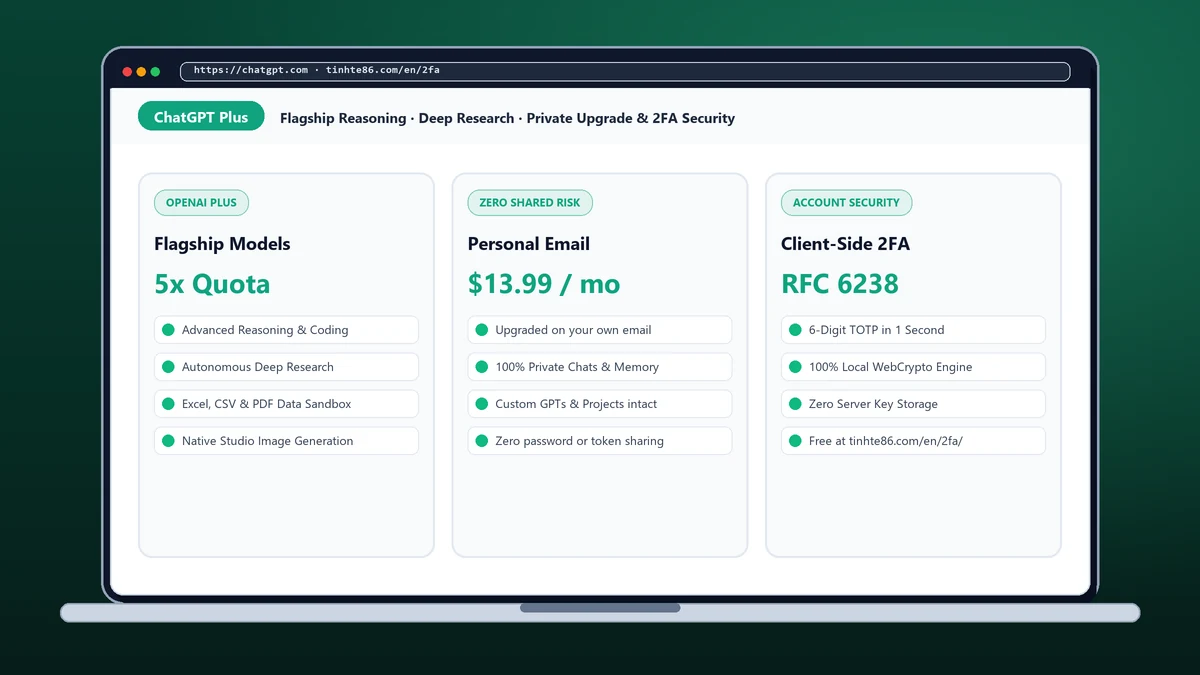
ChatGPT Plus remains the most versatile all-in-one AI workspace in 2026 — unlocking OpenAI’s flagship reasoning models, autonomous Deep Research, Python data analysis, native image generation, Custom GPTs, and Codex — provided you run it on a private personal account rather than a risky shared login. Pairing private email invitations with RFC 6238 Two-Factor Authentication (2FA) keeps your prompts, spreadsheets, and credentials completely under your control.
Key Takeaways (TL;DR — ChatGPT Plus & 2FA Security)
- Why Avoid Shared Accounts: Pooled logins expose your uploaded PDFs/chats to strangers and hit message rate limits within minutes.
- Personal Email Invite ($13.99/mo): Upgrading via official email invitation on TinhTe86 Global keeps 100% of your Memory, Projects, and chat history private with zero password sharing.
- Client-Side 2FA Protection: Our free Online 6-Digit 2FA Generator computes RFC 6238 TOTP codes locally in your browser via WebCrypto with zero server storage.
Why Personal Email Upgrades Beat Shared ChatGPT Accounts Every Time
Many bargain AI listings sell a single login shared across 10 to 30 strangers or require installing unverified cookie-injector browser extensions. For professionals handling client code, financial spreadsheets, or proprietary marketing plans, shared accounts create unacceptable privacy leaks and constant lockouts:
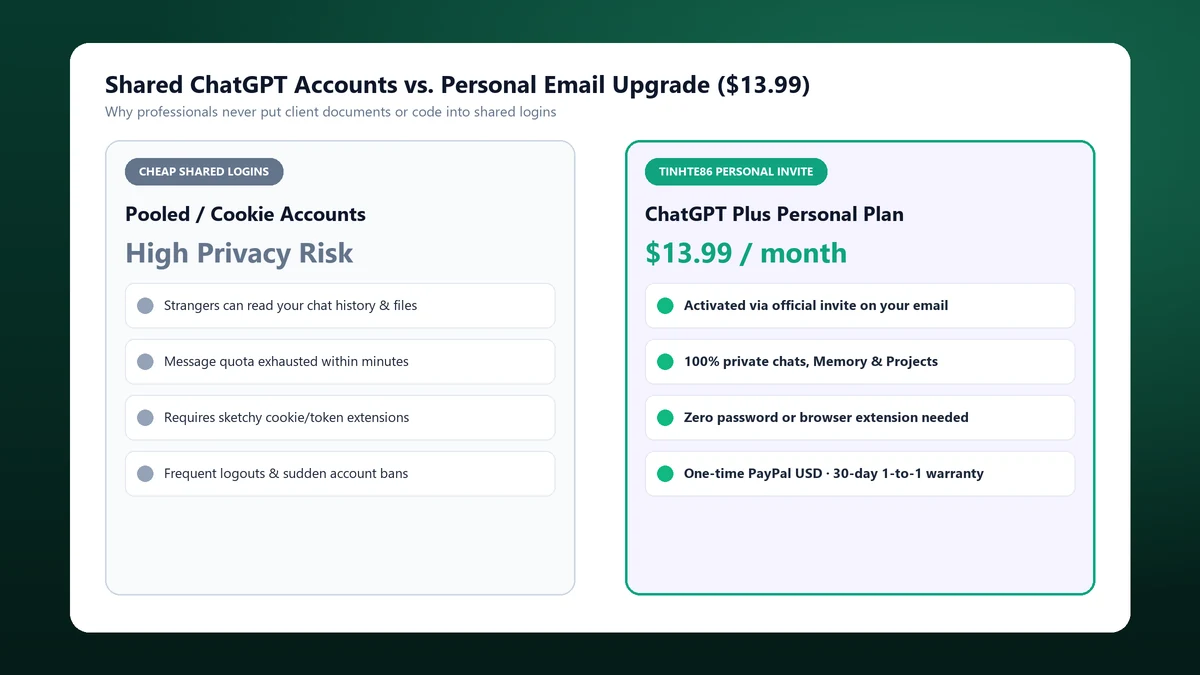
| Comparison Factor | Cheap Shared / Cookie Account | TinhTe86 Personal Email Upgrade |
|---|---|---|
| Prompt & File Privacy | Visible to other strangers | 100% Private Workspace |
| Rate Limits & Speed | Constantly throttled | Full Personal Plus Quota |
| Browser Extensions Needed? | Risky session/cookie tools | None (Official Email Invite) |
| Mobile App Support | Often blocked | Native iOS, Android, Mac & Web |
| 30-Day Prepaid Price | Unreliable | $13.99 USD (vs. $20 + tax) |
How Client-Side Online 2FA (TOTP) Protects Your Accounts
Whether you are signing into OpenAI, GitHub, AWS, or a Coursera Plus 1-on-1 account, Time-Based One-Time Passwords (RFC 6238 TOTP) stop unauthorized logins even if a password is compromised. When switching laptops or accessing a pre-configured study account without your phone nearby, a client-side browser authenticator lets you sign in safely in seconds:
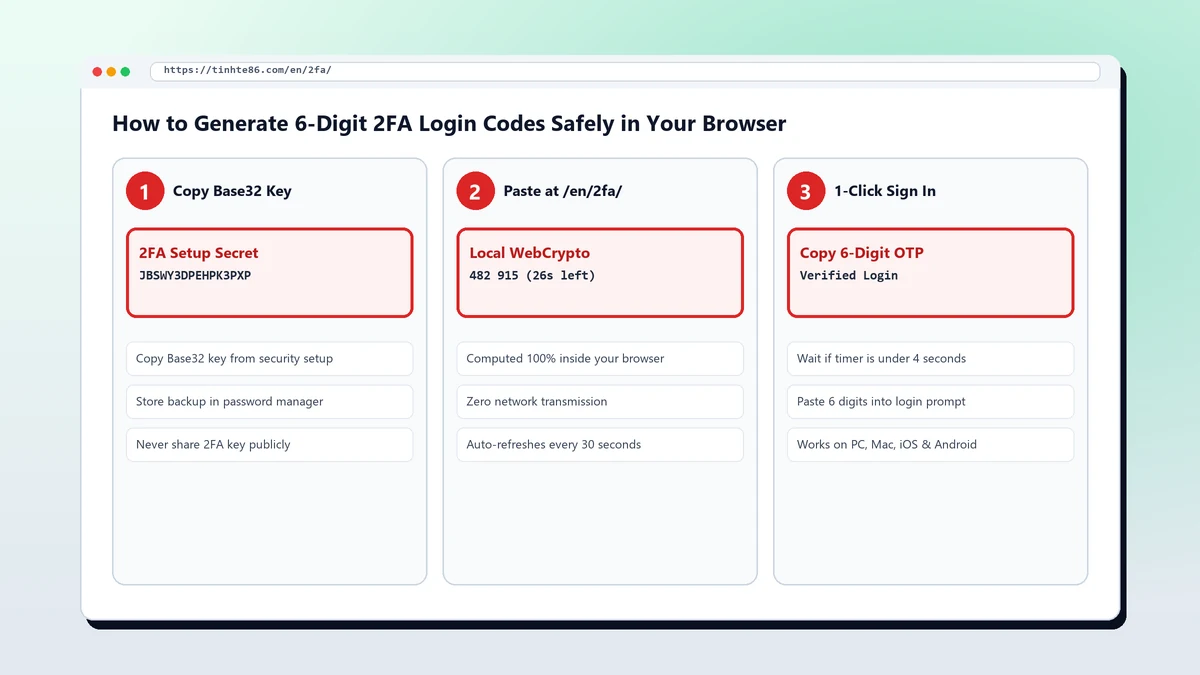
- Copy Your Base32 Secret Key: Keep your 16-to-32 character Base32 setup key stored safely in your password manager.
- Open tinhte86.com/en/2fa/: Paste the key into the input field. Your browser’s native
window.crypto.subtleengine calculates the live 6-digit code locally offline. - Check the 30-Second Timer: If fewer than 4 seconds remain on the progress bar, let the next 30-second cycle refresh, then click Copy 6-Digit Code and sign in smoothly.
Unlock private ChatGPT Plus access on your own email without $20+ recurring charges:
Order your ChatGPT Plus 1-Month Personal Upgrade ($13.99 USD) via PayPal — zero password required and backed by our 30-day 1-to-1 warranty.
Frequently Asked Questions
1. Does TinhTe86 store my 2FA secret key when I use /en/2fa/?
Never. All Base32 decoding and HMAC-SHA1 math run 100% client-side in JavaScript inside your own browser tab — zero network requests are made with your secret key.
2. Can I use ChatGPT Plus on the official iPhone and macOS apps?
Yes! Because the upgrade activates directly on your personal OpenAI email, you sign into the official iOS, Android, macOS, and Windows ChatGPT apps normally.
Upgrade Your Learning & AI Stack in Minutes
Explore one-time USD plans at TinhTe86: Coursera Plus 12-Month ($29.99), Gemini AI Pro 12-Month + 5 TB ($34.99), ChatGPT Plus ($13.99), and Duolingo Super ($22.99).